
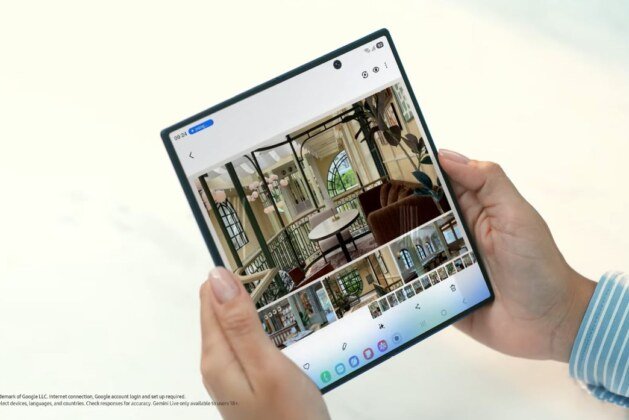
Update (April 13): Both foldable phones are now getting One UI 8.5 beta 3 firmware update in South Korea. The new firmware version is ZZD3, and it fixes known bugs that were found in the previous second beta update. Also, in a new version, Samsung has introduced the Ocean Mode feature in the Expert RAW app to both Galaxy Z Fold 7 & Flip 7 devices. The feature will enhance the photography in underwater mode.
Update (March 19): Along with Galaxy S25, Galaxy Z Fold 6, and Flip 6, Samsung has also released March 2026 security firmware for the Galaxy Z Fold 7 & Flip 7 smartphones. The latest firmware version for Galaxy Z Fold 7 is F966NKSS8AZC1 with a 551MB file size. The Galaxy Z Flip 7 comes with F766NKSS8AZC1 in a 538MB file size. It is expected to be released in other countries in the coming days in phases.
Update (March 12): Samsung has officially started the One UI 8.5 beta testing program for the Galaxy Z Fold 7 and Flip 7 smartphones. It is now live in South Korea and will soon open in the US, UK, Germany, India, and Poland. The latest beta firmware version is F966NKSU8ZZC5 for the Fold 7 and F766NKSU8ZZC5 for the Flip 7. Both come with the February 2026 security patch.
While in the beta testing program, Galaxy Z Fold 7 and Flip 7 users can test new One UI 8.5 features, provide feedback, and report any issues they encounter. The stable version is expected to be released in April for both new foldable devices.
Update (March 07): Samsung is now testing One UI 8.5 Beta firmware for Galaxy Z Fold 7 & Flip 7 devices. The new test build has been spotted on the Samsung server, and the new dedicated page for these two devices has been created in the Samsung Community forum. The new beta firmware F966BXXU8ZZC4 has been assigned for Galaxy Z Fold 7, and F766BXXU8ZZC4 has been assigned for Galaxy Z Flip 7. The new leaked information suggests that, along with the March security patch, Samsung could also open a beta testing program for both devices.
Update (March 03): In a global rollout, the users in India and Indonesia are now receiving the latest February 2026 security patch, enhancing their security. The new firmware version based on One UI 8 is F966BXXS8AZB6, and it comes in a 570MB file size. This week, it is expected to be released in more countries inclusing major European regions.
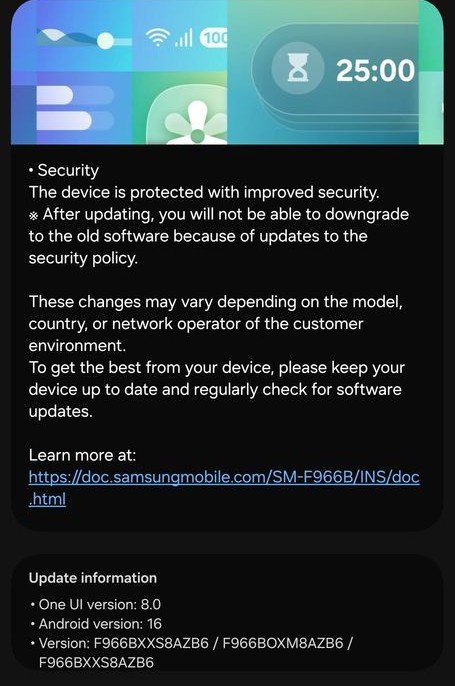
Galaxy Z Fold 7 is the new foldable phone from Samsung with the larger 8.0-inch unfolded screen and improved battery life. To keep it ahead in the foldable market, Samsung releases a new software update to the device. It regularly receives One UI updates, Google’s monthly security patches, and other improvement updates. On this page, I will update every new software for the device and its effects on it, like battery life, UI experience, and more.
In the last week of February, Samsung finally released the February 2026 security update for the Galaxy Z Fold 7. It gets new software that ends with AZB2, enhancing its overall quality and system stability. The new version is now rolling out in South Korea and will soon reach your region.
How to Install New Firmware
- Open Settings
- Click Software Update
- Tap on Download & Install

