



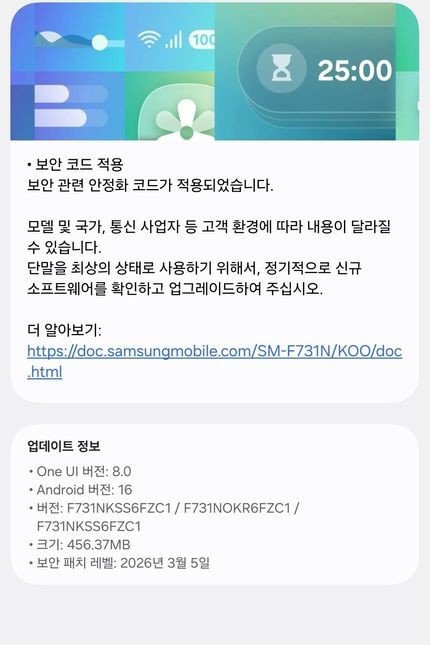
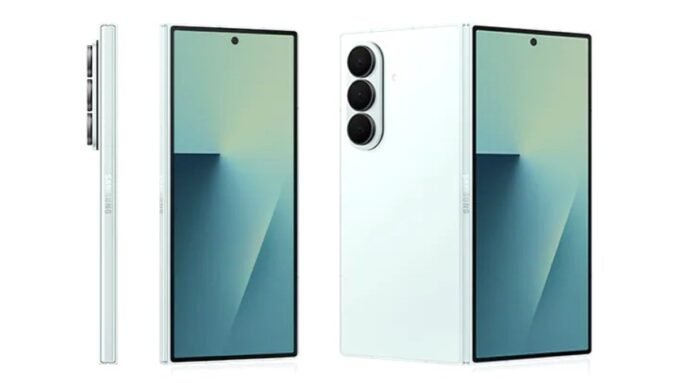
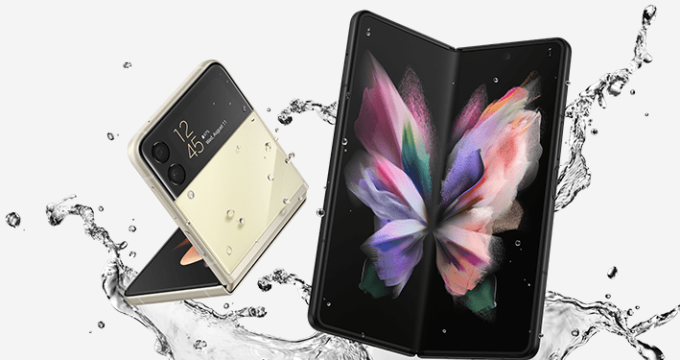
Samsung has begun rolling out a new March 2026 firmware update for the Galaxy Z Flip 5 and Fold 5 smartphones. The latest firmware is now available to download in South Korea and comes with security improvements and minor bug fixes. The firmware version for the Galaxy Z Flip 5 is F731NKSS6FZC1, and the file size is 456MB.
March 2026 Firmware Details
For the Galaxy Z Fold 5, Samsung released the new F746NKSS6FZC1 firmware with a file size of 475MB. The new firmware includes the March 2026 security patch, which fixes 65 security vulnerabilities from the previous code.
Along with Samsung, Google has also fixed critical and high-level issues from the February update. According to Samsung’s official Security Bulletin, it has addressed 8 critical, 5 high-level, and the remaining mid-level risks in the code.
When Will Receive One UI 8.5 Update
Both foldable phones are eligible to receive the next major One UI 8.5 software update. Despite this, the next version will take some time to reach these older flagship phones. Furthermore, Samsung will not bring the One UI 8.5 beta program to the Galaxy Z Flip 5 and Fold 5.
Will Galaxy Z Flip 5 & Fold 5 Get One UI 9 Update
Yes, both smartphones are within Samsung’s software policy timeline, so they will receive the One UI 9 firmware version sometime later this year or early next year. Samsung is currently testing the next software on the Galaxy S26 Ultra and may soon open beta testing for other Galaxy devices.
Galaxy Z Fold 5 Detailed Changelog
Firmware Version: F746NKSS6FZC1
Update Size: ~475MB
Security Level: March 5, 2026
OS: One UI 8.0
Changes: Bug fixes, improved security
Region: South Korea (expanding soon)
Galaxy Z Flip 5 Detailed Changelog
Firmware Version: F731NKSS6FZC1
Update Size: ~456MB
Security Level: March 5, 2026
OS: One UI 8.0
Changes: Bug fixes, improved security
Region: South Korea (expanding soon)
How to Install March 2026 Update
As usual, the rollout is happening in South Korea in phases, so availability may vary depending on the carrier and region. Galaxy Z Fold 5 and Flip 5 users can manually check for the update through Settings > Software update > Download and Install.




Leave a comment