
Galaxy Watch 8, Watch 8 Classic & Watch Ultra are two of the most advanced smartwatches on the market. You can make calls, receive messages, and even use thousands of apps on Samsung watches. Many popular apps like Samsung Browser, Spotify, YouTube Music, WhatsApp Messenger, etc., are available for the Wear OS platform. But what about Facebook, Instagram, and Twitter apps? Do they support Galaxy Watches? Let’s find out in this article.
In this guide, I will tell you whether you can use Facebook, Instagram, and Twitter on your smartwatch, particularly on the Galaxy Watch 8, Watch 8 Classic, and Watch Ultra.
Are Facebook, Instagram, and Twitter Available for the Galaxy Watch?
Unfortunately, Facebook, Instagram, and Twitter are not available for Wear OS smartwatches. You can’t download these apps from the Play Store. But there is a limited way to use these apps on your smartwatch. You will only get incoming messages from these apps, and that is the only option currently available for smartwatches.
How to Set Up Notifications for Social Media
To receive incoming messages from these apps, you have to follow these simple steps:
1. Download These Apps on Your Smartphone
You have to download these social media apps on your paired smartphone. Go to the Play Store and download these apps on your paired smartphone.
2. Open Galaxy Wearable App
After that, open the Galaxy Wearable app on your smartphone.
3. Watch Settings
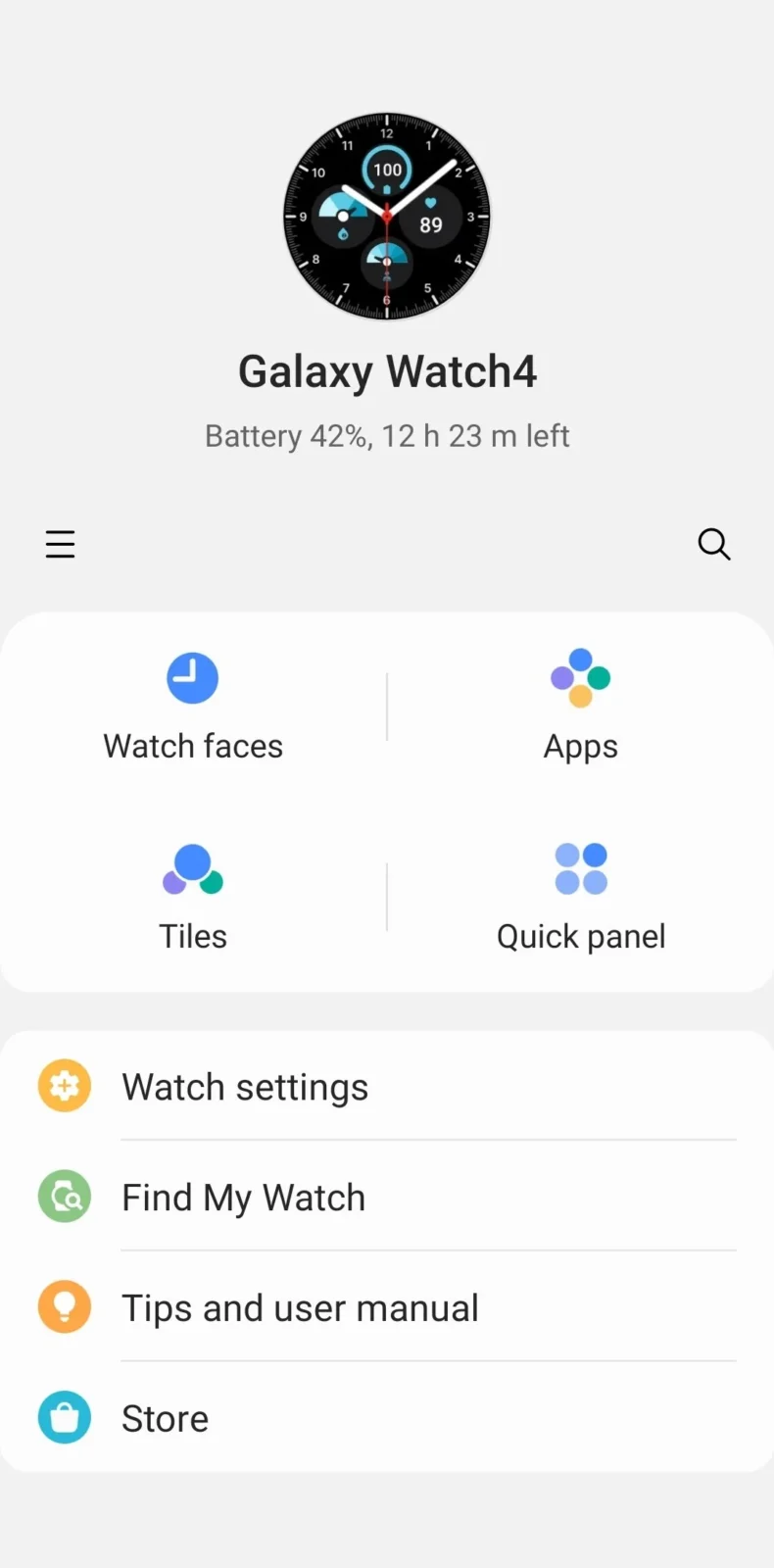
In the Galaxy Wearable app, click on Watch Settings.
4. App Notifications
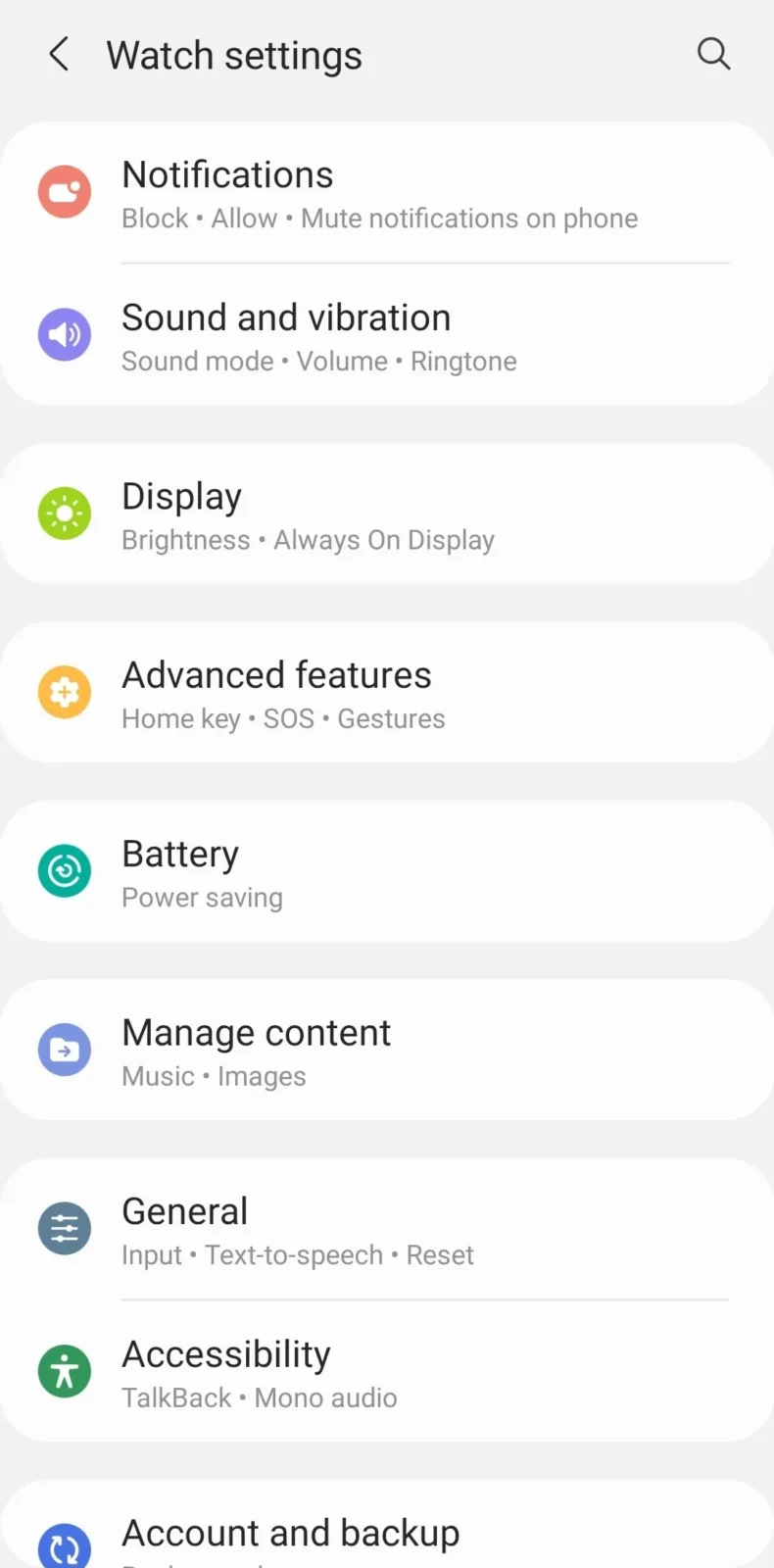
In Watch Settings, you will see the Notifications option. Click on it, then tap on App Notifications.
5. Enable Toggles
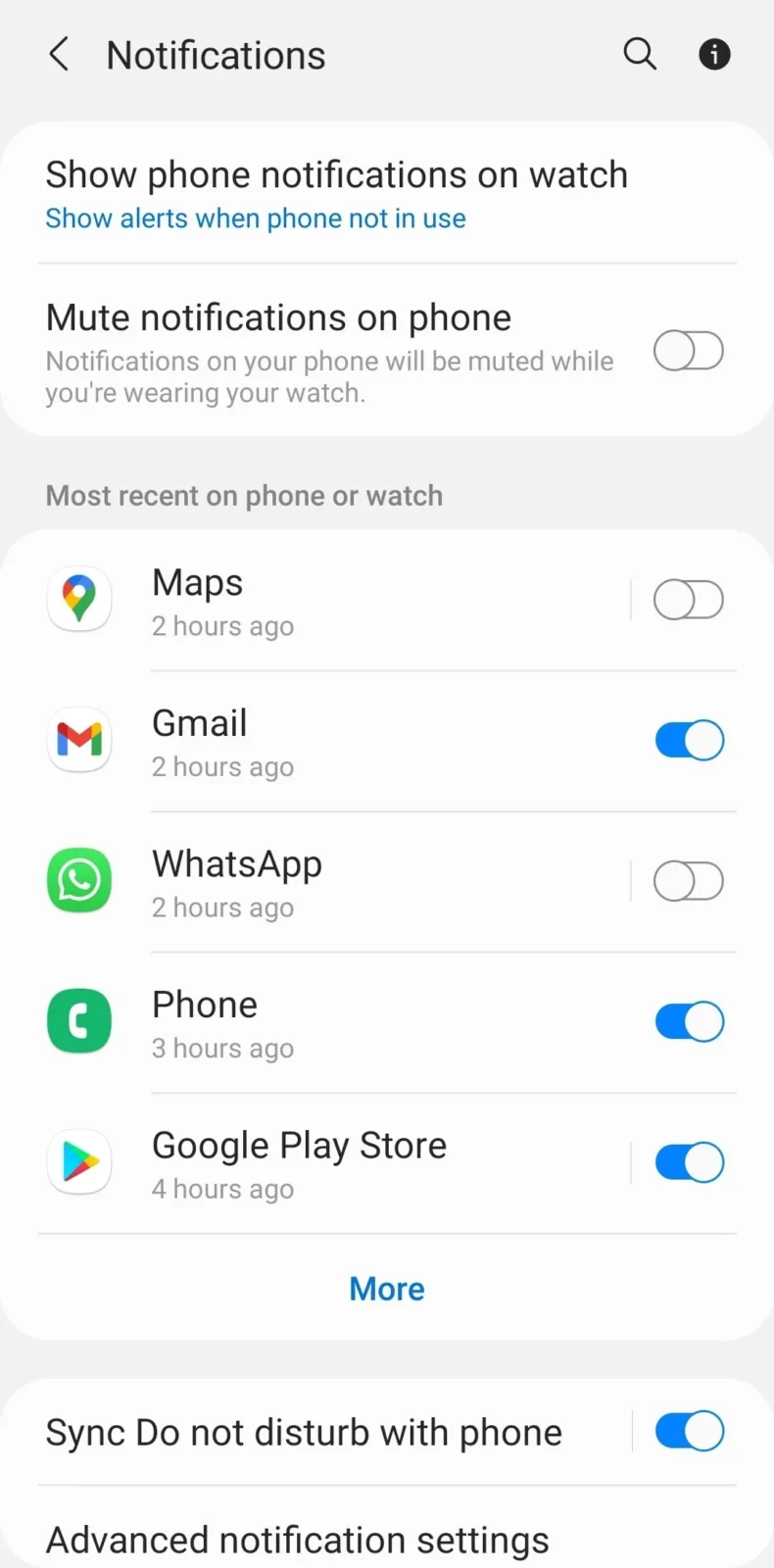
In App Notifications, you will see the list of all downloaded apps on your smartphone. Scroll down and find Facebook, Instagram, and Twitter. Enable the toggles to receive messages on your smartwatch.
Important: Allow Smartphone Notifications
First, let me tell you that to receive messages from Facebook, Instagram, and Twitter, you have to allow notifications on your smartphone, too. If you block notifications on your smartphone, then you will not receive any messages on your smartwatch.
So make sure to allow notifications for these three apps. Go to Settings on your smartphone and enable notifications in the notification area. One by one, make sure you enable the toggle in front of them.
How to View Your Messages
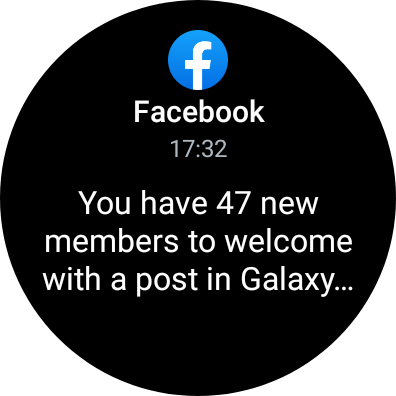
After that, you will get all the notifications on your smartwatch. To view incoming messages on your Galaxy Watch 8 and Watch Ultra, slide your finger from left to right.
In the notification area, you will see all the incoming messages. To view a message, just tap on it, and you can read the whole message. As I said, there is limited access, which means you can’t reply to them, and you can’t view images or other formats. You can only view and delete them.
For smartwatches, that’s the only option available: just view the message and delete it.
I hope you received all the answers to your questions. If you like the content, make sure to follow for more updates.
For your information, WhatsApp has officially launched for Wear OS-powered Samsung watches. Yes, you can download the WhatsApp Messenger app from the Play Store. With WhatsApp, you can also send messages, reply to them, view images, stickers, emojis, and other things. Yes, you can do lots of things with WhatsApp.
FAQ:
Can I reply to Instagram messages on the Galaxy Watch?
No, you can’t reply to Instagram messages.
Can I install the Facebook app on the Galaxy Watch?
No official app available for Galaxy Watches.
Can I get notifications?
Yes, all the notifications will be delivered to the watch.



Leave a comment